
Case study · Beauty & wellness
Treatment plans priced on an iPad in seconds. Every training guide one tap away.
A beauty clinic in Iceland replaced its pricing spreadsheets and scattered training notes with one salon app. Staff build a client's treatment plan, see the price instantly, and follow each treatment step by step.
- 208 prices
- Package prices worked out by the app, not by hand in a spreadsheet
- 1 search box
- For 30 guides, 7 treatment protocols and every step inside them
- 7 days
- From approved design to a live app on the clinic's iPads
Client
The House of Beauty, a body-contouring and beauty clinic in Iceland. The owner runs the clinic with a small team of therapists who work on iPads in the treatment rooms.
Problem
Two things slowed the team down every day.
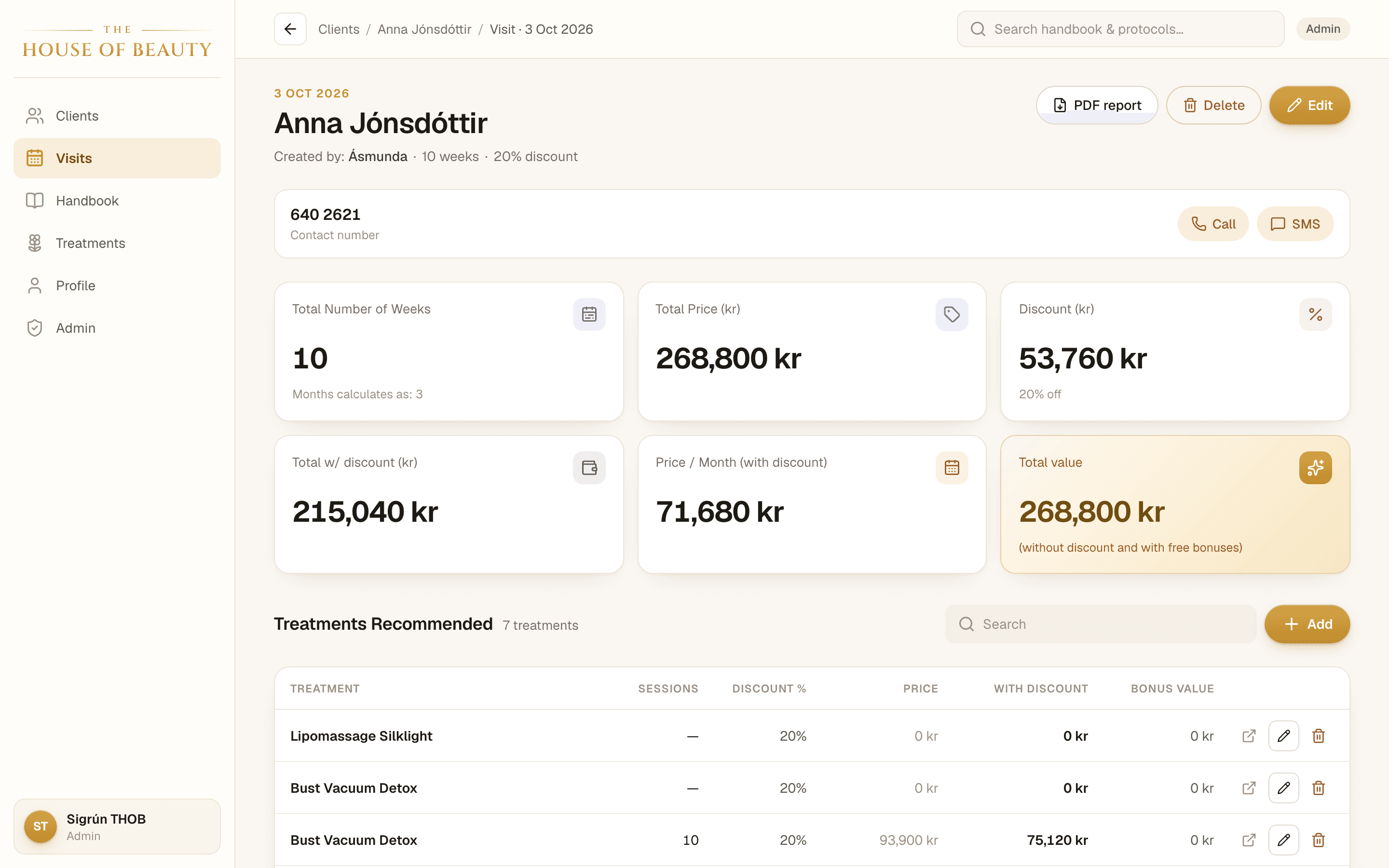
- Quotes were built by hand in spreadsheets. Every treatment plan had to be worked out manually. The clinic has 44 treatments and 208 package prices, and each plan mixes packages, discounts and free bonus sessions. Getting the monthly price and total value right took time, and one wrong cell meant a wrong quote.
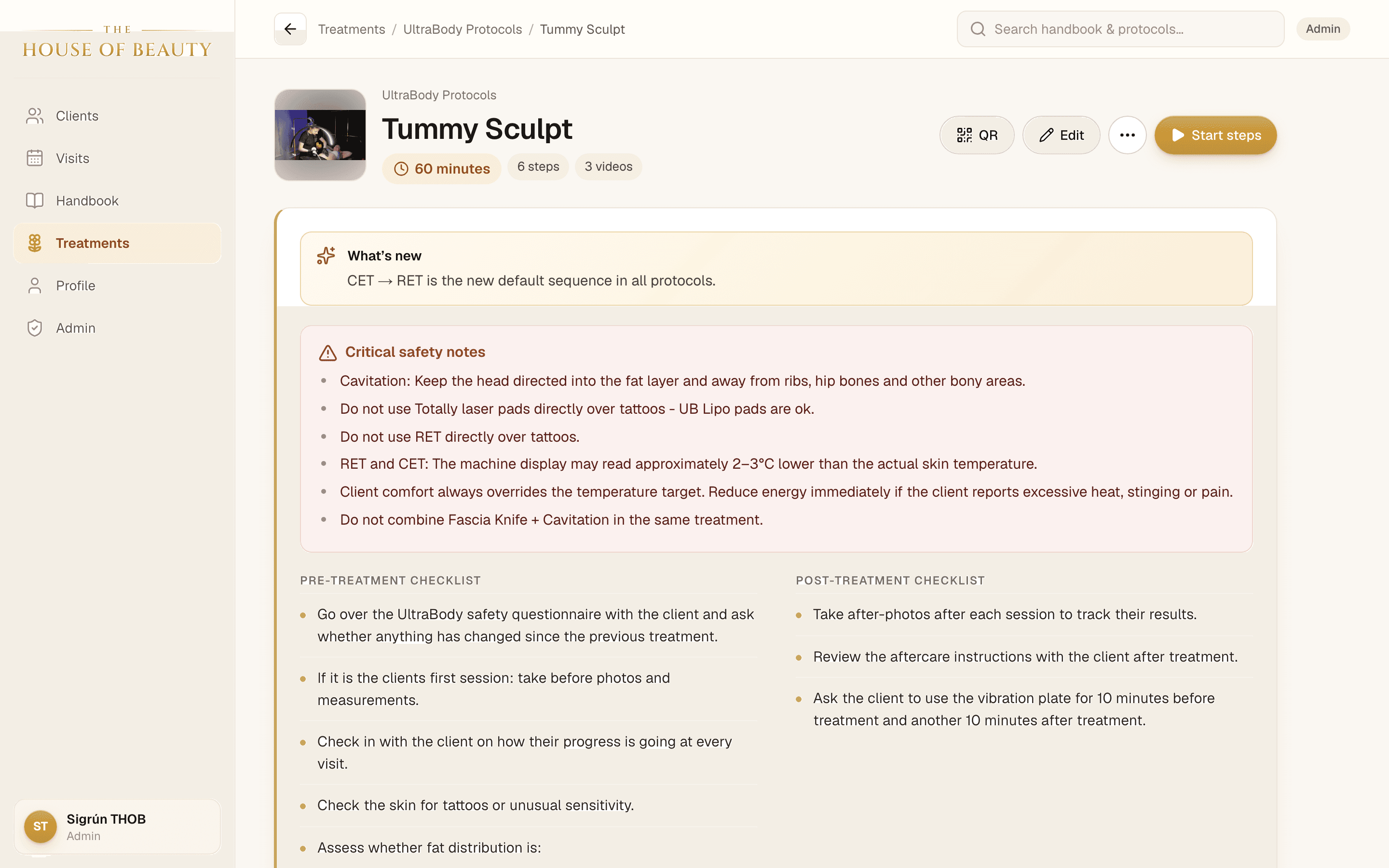
- Training material was hard to find. Guides, scripts and treatment protocols lived in shared notes that were hard to use on a tablet. Guides got lost, nothing was organised in one system, and there was no proper search. A therapist with a client on the bed couldn't find the right step fast.
The owner's goal: a staff member "must find a protocol in seconds and move step to step with one thumb."
What we built
We understood the problem, then picked the platform that fits. We built one private salon app that installs on the iPad home screen and also works on phones and computers.
Treatment plans with live pricing
Pick a treatment, a package and a discount. The app calculates the total, the discount, the price per month and the total value with bonuses. The six price cards update instantly.
A one-tap PDF quote
The finished plan becomes a client-ready report.
A searchable staff handbook
30 articles in 8 categories, with videos, pictures and attachments. One search box covers articles, protocols and individual steps.
Step-by-step treatment mode
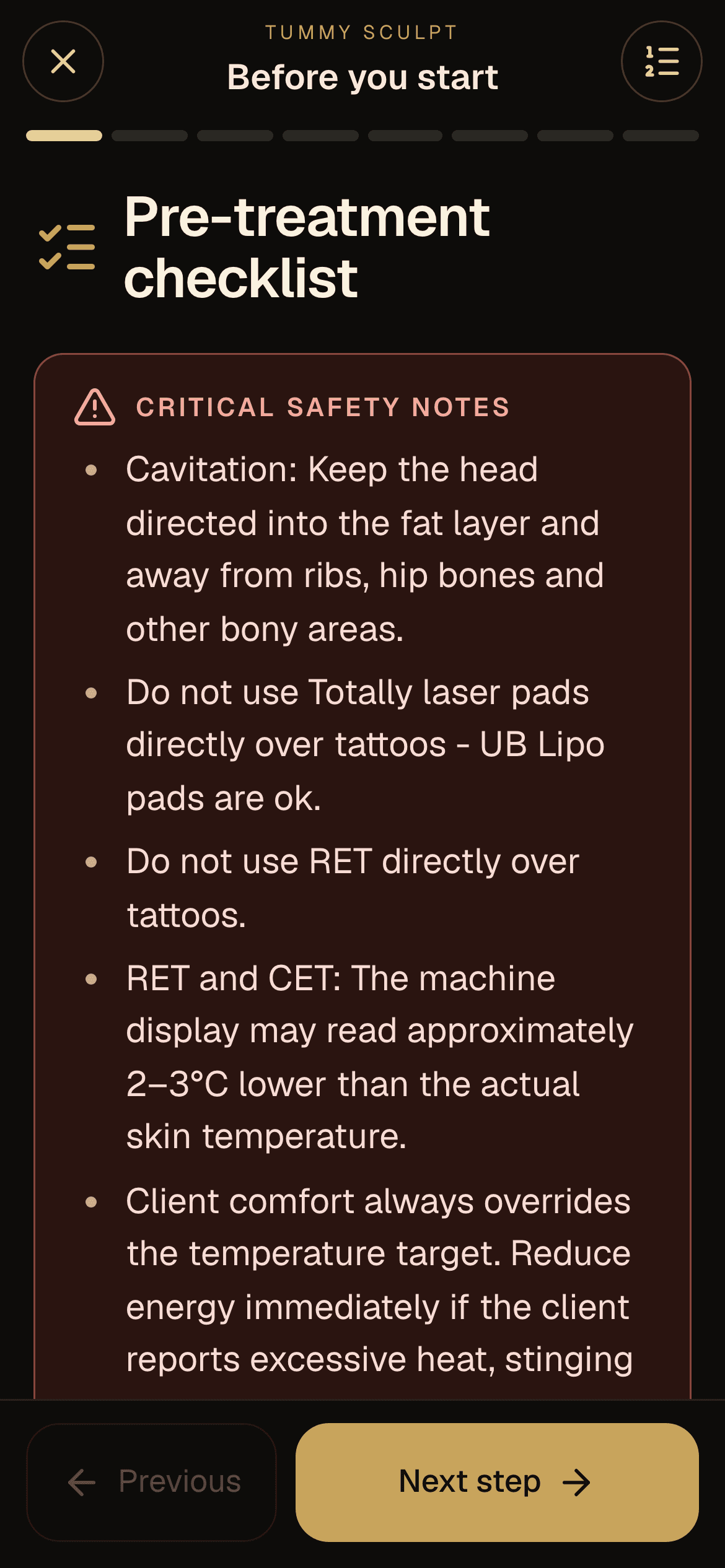
Full-screen steps with safety notes, checklists and a timer. The screen stays awake, and staff swipe to the next step.
QR codes in the treatment rooms
Scan a printed card and the right protocol opens straight away.
Admin controls
The owner manages prices, users and content. Staff never see delete buttons, drafts or price settings.
Before
Quotes were worked out by hand in spreadsheets, and training guides sat in shared notes that were hard to find on a tablet.
After
Staff build and price a treatment plan on the iPad in a few taps, and every guide and protocol is one search or one QR scan away.
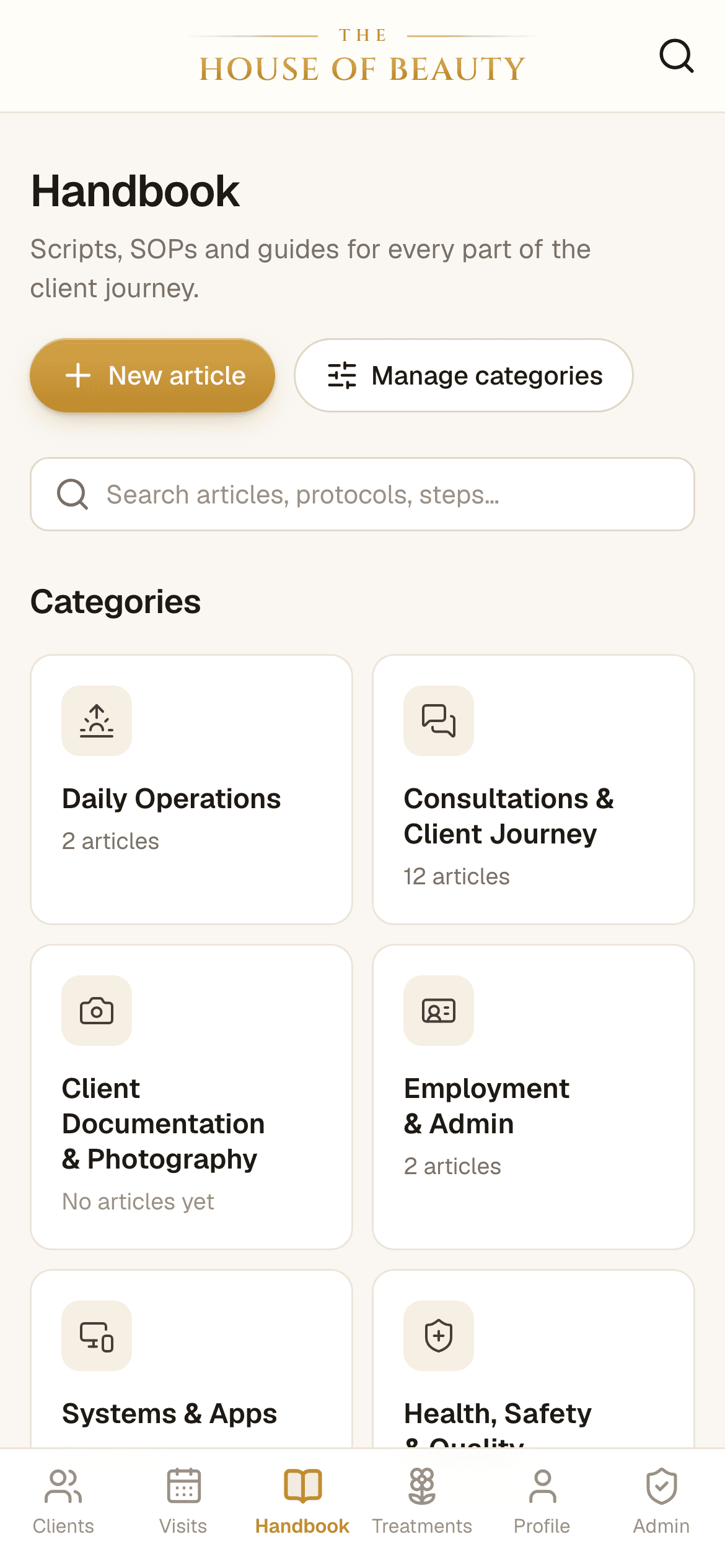
The staff handbook: one search box for every guide, protocol and step, organised into categories the team can browse.
Results
No more manual quote maths
All price formulas run inside the app and were checked against the clinic's own example plan to the krona.
34 clients and 101 treatment lines moved in
from the old setup, with their saved prices kept.
All training in one place
30 handbook articles, 7 treatment protocols and 8 videos, searchable from any screen.
Works on the iPad like a normal app,
with its own icon and no browser bars.
Timeline & scope
About 7 days from the approved design to a live, installable app. Delivered: clients and treatment plans with live pricing, PDF quotes, treatment and price catalogue, staff handbook with rich text and video, step-by-step protocols with QR cards, global search, user and access management, an install guide for the team, and phone, tablet and desktop layouts.
In their words
“He is super responsive, handles things fast and delivers outstanding work. I could not be happier with his work.”
Screens show the clinic's real price list and protocols. Client names and phone numbers are made up.
Related
More work like this.
Have a problem like this one?
A free 30-minute call with Hassan. We'll look at how you work today and map out what could change.